Student visa application guide
Instructions for using the Student Visa online application form outside of the UK.
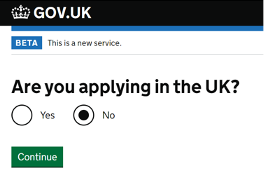
Where you are applying from
Select ‘No’, as you are applying from outside of the UK.

Next, please select your country.
You should choose the country in which you are living (if you are in a country that is not your home country, you may be able to attend a Visa Application Centre if you are resident, for example, due to studies, but not if you are there as a visitor).
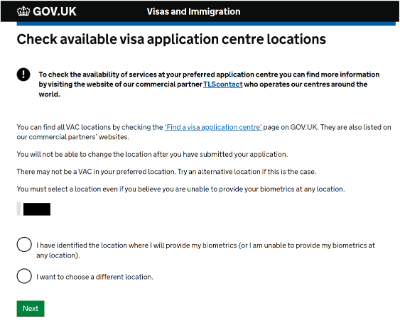
Check local visa centres
Once you have checked the link provided, ‘Find a visa application centre’, you can select ‘I have identified the location where I will provide my biometrics (or I am unable to provide my biometrics at any location)’.
If you want to choose a different location, select this option and go through the steps.

Apply now
Now you are ready to begin your application.
Please click ‘Apply Now’.
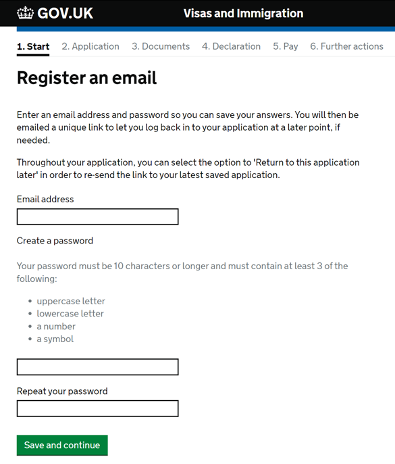
Register an email
Register your email address and create a password for your account.
Your password must be 10 characters or longer and must contain at least 3 of the following:
- uppercase letter
- lowercase letter
- a number
- a symbol
Make a note of your password somewhere safe.
Select ‘Save and continue’.
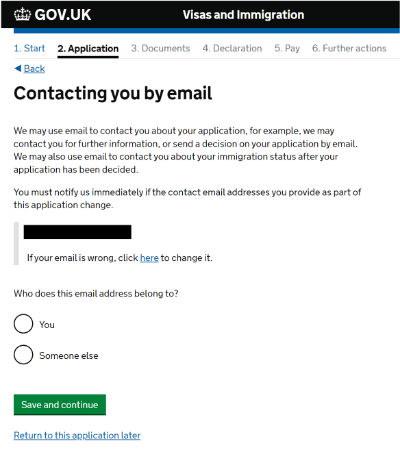
Contact by email
Select ‘You’ if the email address belongs to you, or select ‘Someone else’ if the email address doesn’t belong to you.
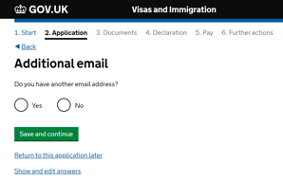
You will also be asked if you have an additional email to contact you through.
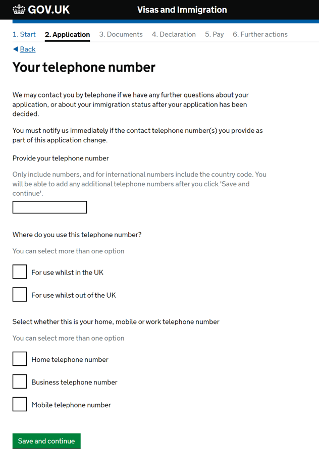
Telephone number
You will also be asked to confirm telephone number details for your application.
Please enter the information that is relevant to you.
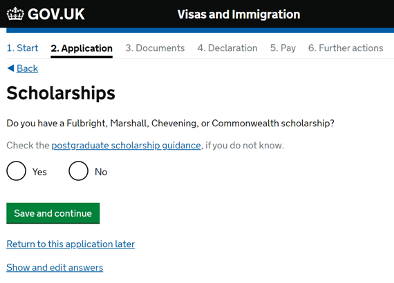
Scholarships
The Fulbright Scholarship, known as ‘Fulbright Awards’, offer grants and support to British and American students seeking to do a postgraduate degree, teaching or research.
The Marshall Scholarship is a postgraduate scholarship for ‘intellectually distinguished young Americans [and] their country’s future leaders’ to study at any university in the United Kingdom.
The Chevening Scholarship is an international scholarship, funded by the British Foreign and Commonwealth Office, that lets foreign students with leadership qualities study at universities in the United Kingdom.
Commonwealth Shared Scholarships are for candidates from least developed and lower middle income Commonwealth countries, for full-time Master’s study on selected courses, jointly supported by UK universities.
If you are not in receipt of any of the above scholarships – select ‘No’.
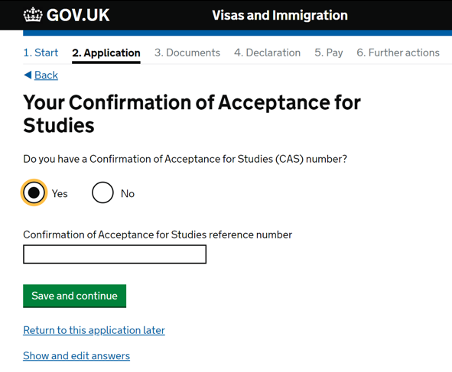
Your CAS
Your CAS number is 14 digits long and usually starts with the letter E. It was sent to you in a PDF by us.
You should not use the same CAS number that you have used previously. Any Student Visa application you make needs a new CAS number, even if you are applying for a student visa to continue the same course previously.
We advise that you have your CAS information to hand for completing the majority of this visa application form.
Your course dates
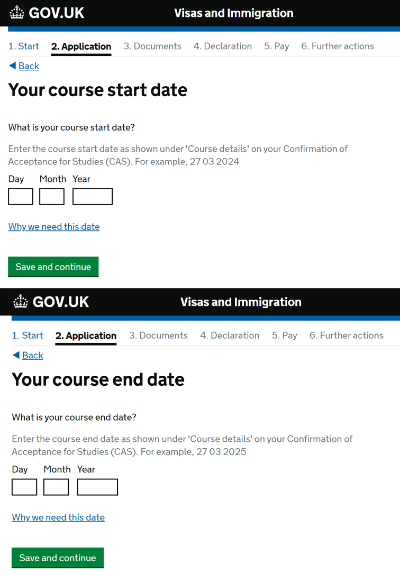
You will be asked about your course dates, as stated on your CAS document provided by Goldsmiths.
Please enter your course start date as listed on your CAS document.
Then on the next page, please enter your course end date as listed on your CAS document.
Name
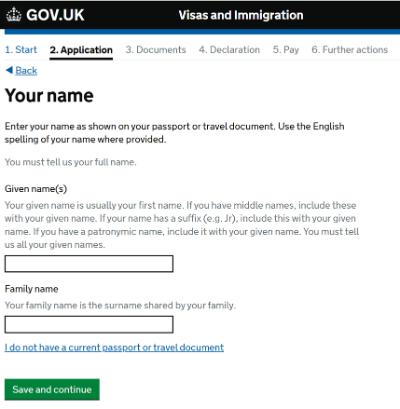
Please enter your first name and family name (surname) as shown in your current passport.
If you have any other names, you will be asked to complete further questions.
If you have legally changed your name, you must click ‘Yes’. For example, you may have legally changed your name if you got married or changed your gender.
You do not need to mention unofficial nicknames.

Sex and relationship status
Choose your sex and your relationship status, as in your passport.
Your address
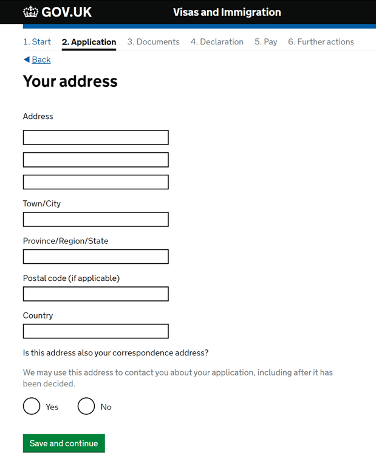
Enter your current home address and contact details.
This will usually be your normal residence in your home country or where you are currently living, and should be the address where you can be contacted about your application.
You will be asked how long you have lived there.
If you are not completely sure, you should choose the number of years or months that is closest to what you believe.
Your passport
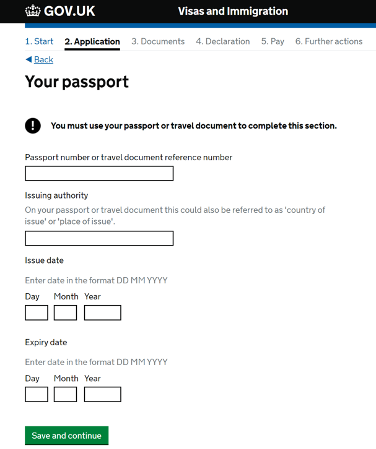
Include your passport number as listed in your current passport.
It should match the passport number on your CAS statement - please let us know as soon as possible if it doesn’t.
You may also be asked if you have a valid identity card. If you do, please fill in the relevant details.
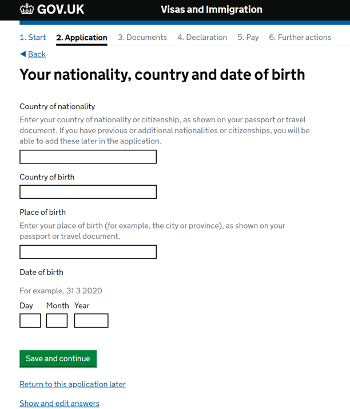
Nationality, country and date of birth
Enter your nationality, date of birth, and country of birth, exactly as they appear on your passport.
You will be asked if you have any other nationalities. Please fill in the information that is appropriate for you.
If you are not applying in your home country, you will be asked what permission you have to apply from this country.
If you are under 18 years old at the time of your Student visa application, you may be asked more questions in the visa application form about your accommodation arrangements/care in the UK. Please contact IAS if you are unsure of how to proceed.
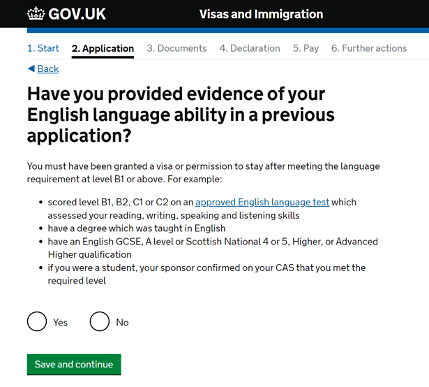
English language ability
‘Previous application’ means a previous application for a UK visa.
You should only answer ‘Yes’ here if you have previously provided evidence of your English language ability at the required level in a previous UK visa application.
If you answer ‘Yes’ here, you will not be asked any further questions about English language and will be taken to the next section of the application form.
You can check your CAS document to see how your English language ability was assessed.
(Students from Majority English speaking countries will not be asked this question).
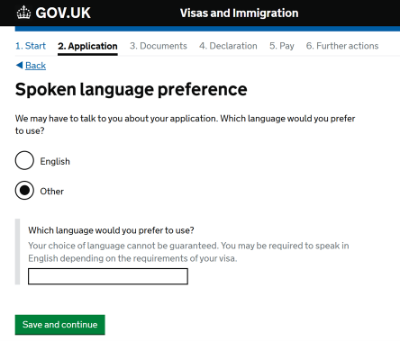
Spoken language preference
You will then be asked about your Spoken Language preference.
Please choose the option that is suitable for you.
If you select ‘Other’, you will be asked which language you would prefer to use.
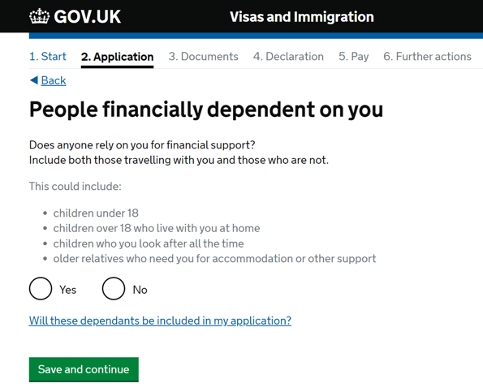
Financial dependants
If anyone relies on you for financial support, please select ‘Yes’.

Parents’ details
Provide details of both of your parents in this section, if possible.
You will be asked about your first parent, and then about the second.
If you don’t have the details about your second parent (e.g. you do not have a relationship with them), then you can tick the box ‘I only have the details of one parent’ to skip this question.
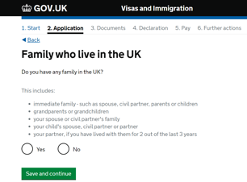
UK family and travel to the UK
Family who live in the UK
This question is asking about your family and any partner that lives in the UK. If you answer ‘Yes’, the next screen (not shown) asks questions about your family or partner in the UK, including their immigration status.
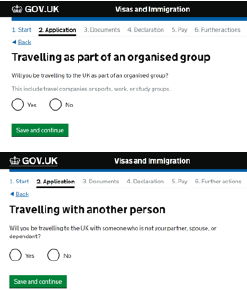
Travelling
These questions is asking if you will be travelling to the UK as part of an organised group or as an individual. Most students coming to study at the University will be travelling individually.
Enter the required information.
Answer these questions with the best of your ability.
If you are confused about any of these questions, please let us know.
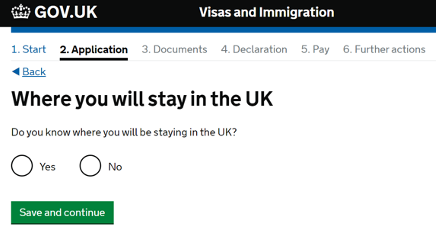
Address in the UK
If you do not yet have a UK address confirmed, please select ‘No’ for this question. You will then be asked where you plan to stay in the UK.
If you do not have a UK address, you can put the Goldsmiths’ address. This can be found on your CAS document.
If you do have accommodation arranged, please fill in the address details.
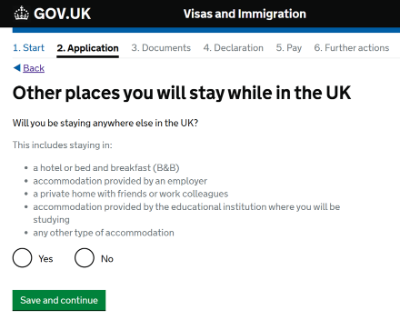
Other places you will stay while in the UK
You may then be asked about other places that you may stay while in the UK.
Please answer appropriately for your circumstances.
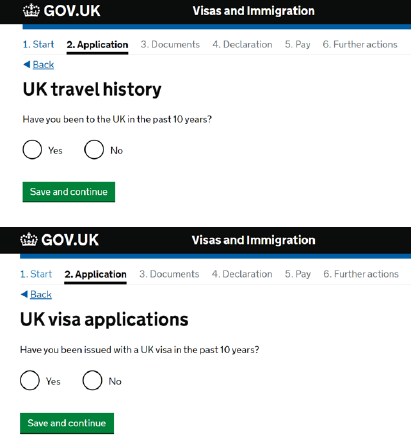
UK travel history
Please answer the following questions about your travel history as best as you can.
List as much information as you can - don’t worry if you can’t remember exact dates.
You will be asked about previous UK visa applications, and your world travel history.
You may need to check your passport(s) for any visa stamps you received to help you remember or look in your email account for any flight bookings.
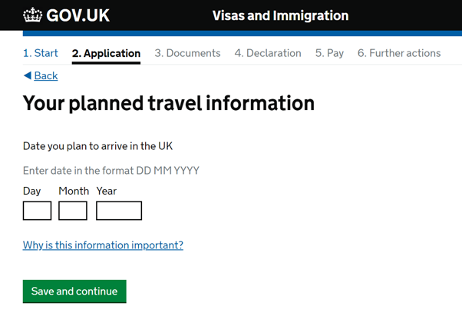
Planned travel information
Select your intended date of arrival.
If you don’t know exactly, just put an estimate – your arrival date should not be more than 1 month before the start date of your course (listed on your CAS document).
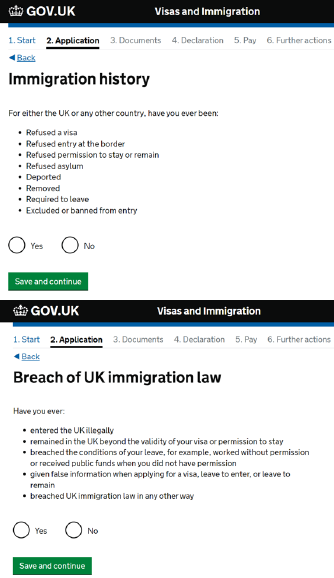
Immigration history
Please provide any relevant details as accurately as possible.
This includes things like being refused a visa at the UK border.
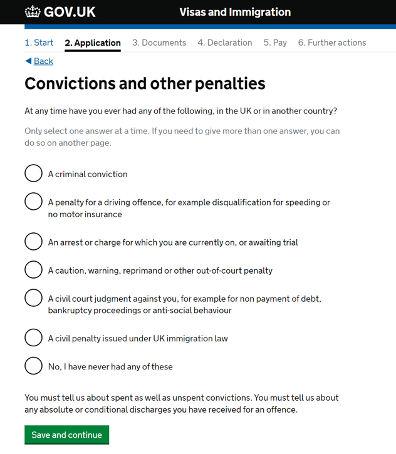
Convictions
Declare any criminal convictions - if you are not sure whether to declare something, contact us before submitting your application.
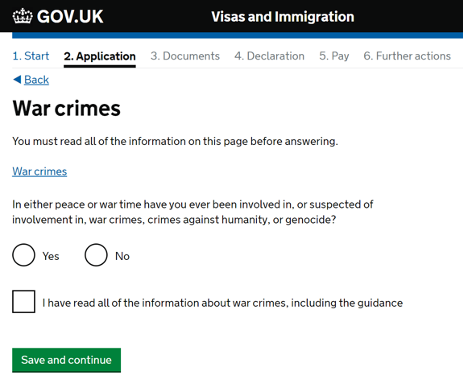
War crimes
Declare any War crimes - if you are not sure whether to declare something, contact us before submitting your application.
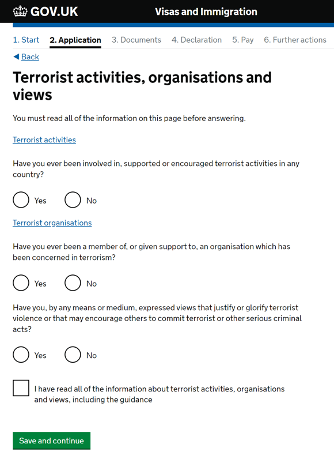
Terrorist activities
Declare any terrorist activities, organisations and views - if you are not sure whether to declare something, contact us before submitting your application.
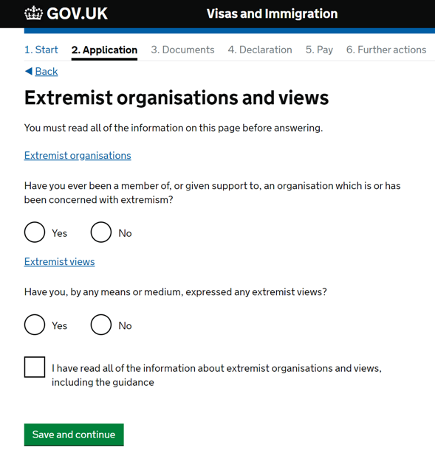
Extremist views
Declare any Extremist organisations and views - if you are not sure whether to declare something, contact us before submitting your application.
You will also be asked questions on your character.
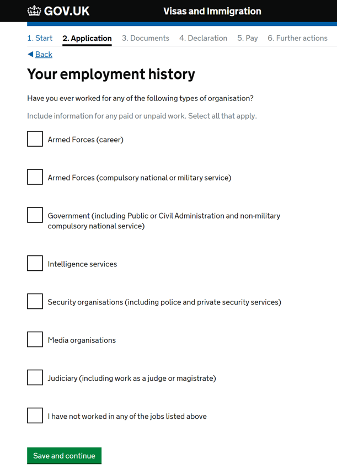
Employment history
Please provide any relevant details as accurately as possible. This includes work anywhere in the world.
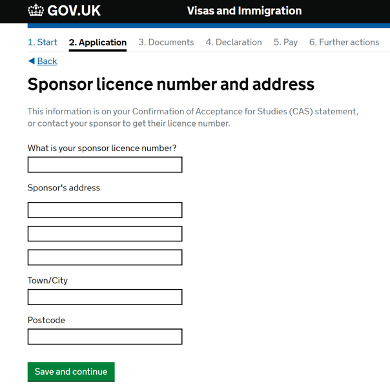
Sponsor license number and address
This information is on your CAS statement.
The sponsor licence number is AG868A1E7
Sponsor’s address: Goldsmiths College, 8 Lewisham Way
Town/City: London
Postcode: SE14 6NW
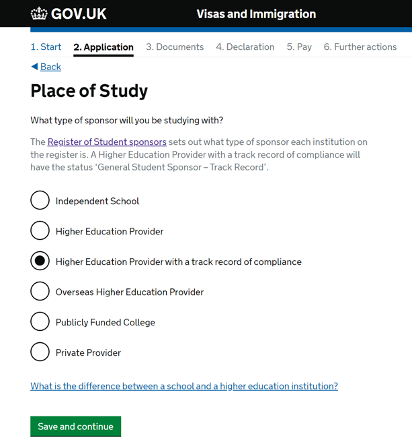
Place of study
Please select: Higher Education Provider with a track record of compliance
Your course dates
You will be asked about your course dates, as stated on your CAS document provided by Goldsmiths.
Please enter your course start date as listed on your CAS document.
Then on the next page, please enter your course end date as listed on your CAS document.
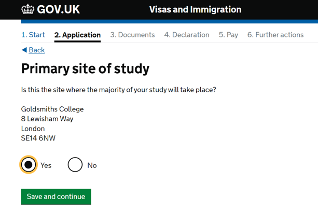
Primary site of study and UCAS
Please select ‘Yes’ for this question.
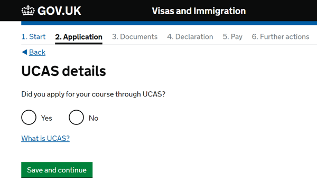
If you used UCAS to apply for your course, select ‘Yes’. Your UCAS number will be on your CAS document.
If you did not use UCAS to apply for your course, select ‘No’. You will not have a UCAS number on your CAS document.
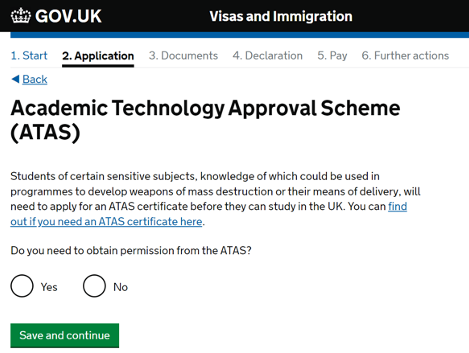
Academic Technology Approval Scheme (ATAS)
If you need to obtain permission from the ATAS for your course, select ‘Yes’.
You will be prompted to enter your ATAS reference number, which is on the ATAS clearance certificate issued to you.
If you did not need to obtain permission from the ATAS, select ‘No’.
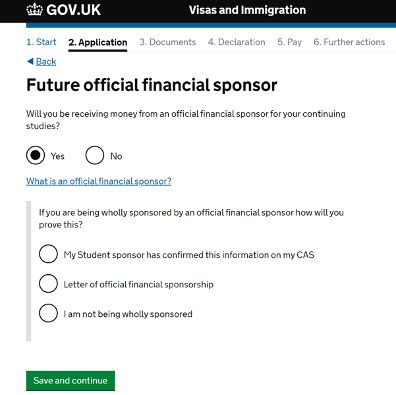
Future official financial sponsor
If you are receiving an official financial sponsorship, your letter confirming this would have been checked and approved as part of your CAS process.
Federal Student Aid (US Loans) or FAFSA is not considered as an Official Financial sponsor.
If you select ‘Yes’, you will be asked if you are being wholly sponsored and how this will be proved.
Select ‘No’ if you will not be receiving money from an official financial sponsor.
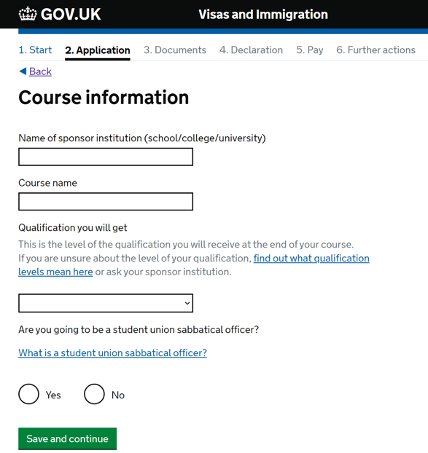
Course information
The qualification you will get is listed on your CAS next to the course level section.
Please be careful when selecting the correct course level (RQF level).
Make sure to copy details exactly from your CAS document.
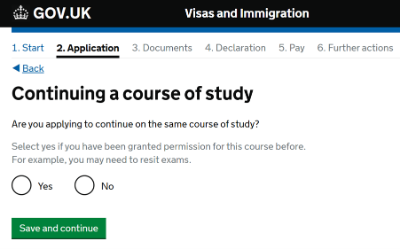
Continuing a course of study
If you are starting a new course at Goldsmiths, please select ‘No’.
If you are continuing a course with us (for example, applying for a visa extension so that you can complete your course), please select ‘Yes’.
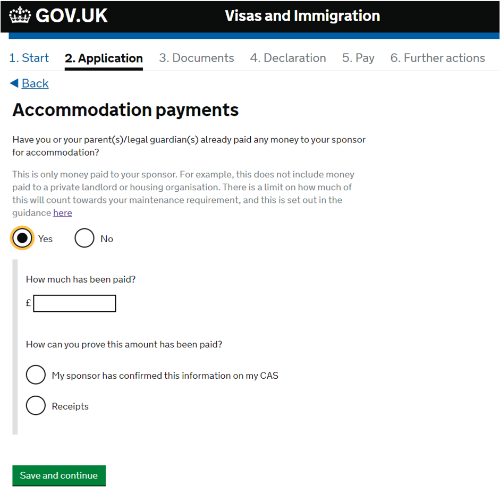
Accommodation payments
If you will be staying at accommodation directly arranged through Goldsmiths and you have paid money towards this, you can select ‘Yes’.
You will be asked the amount paid and how this will be proven.
We will record any payments that you have made on your CAS document.
If a payment is missing from your CAS document, please contact us so that we can amend this.
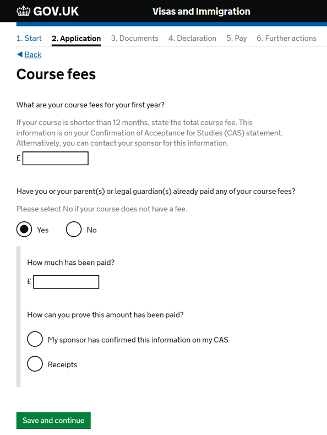
Course fees
Your CAS will show the amount of tuition fees for your first year and the amount you have already paid.
If you have paid more towards your tuition fees and it is not reflected on your CAS statement, please let us know so that we can update that information for you.
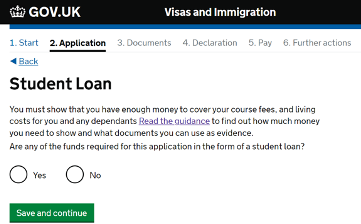
Student loan
Only select ‘Yes’ if you have a student loan provided by one of the following:
- your national government or state
- government sponsored student loan company
- academic or educational loans scheme
If you are receiving US Federal Loans, please select ‘Yes’ to this question.
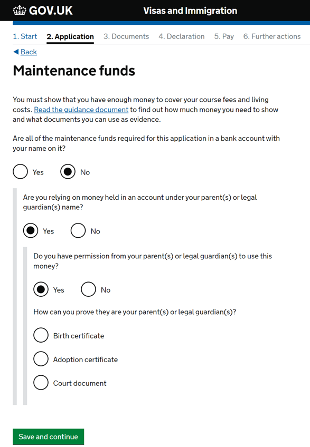
Maintenance funds
Information on visa financial requirements.
Low risk nationals will have to fill in the details of your financial documents. However, you do not usually need to include documentation to show you meet the financial requirements with your visa application so please do not upload any financial documents at the initial stage.
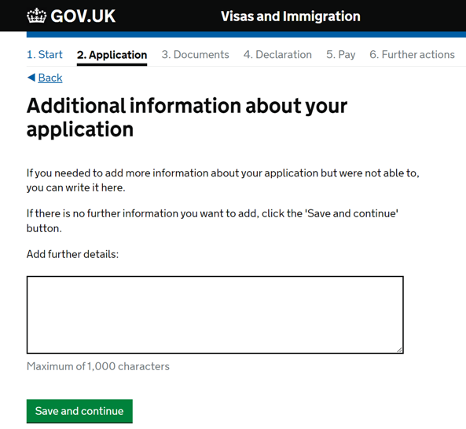
Additional information
Add any further information that you want to include here.
After this page, you will be prompted to check your answers, where you can change any sections that you need to.
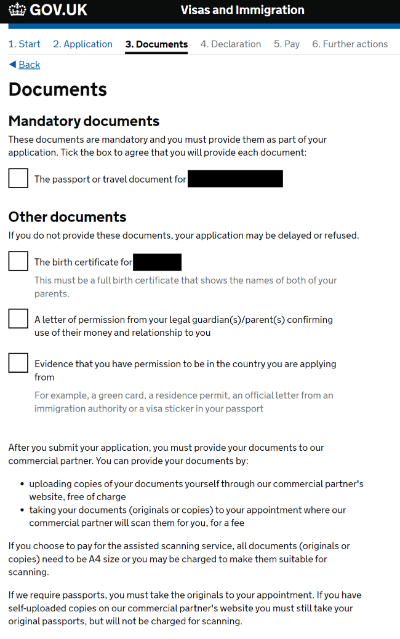
Documents
Next, you will be asked to provide documents.
Please tick all the boxes to confirm that you will provide these documents when requested.
Please provide whichever documents are requested from you, as a caseworker will need to check these.
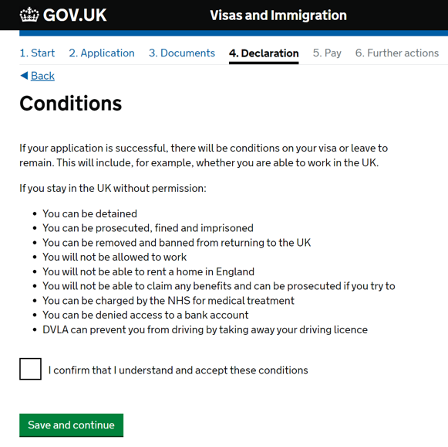
Conditions
Next, you will be informed of the following conditions.
Please read through carefully, and then tick the box to confirm that you understand and accept these conditions.
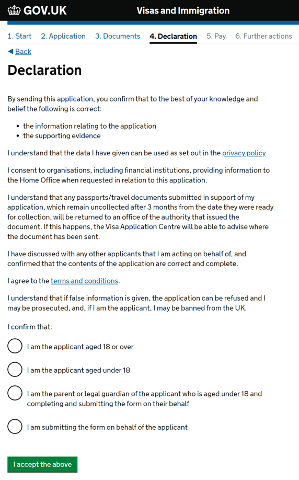
Declaration
You will then be asked to read through the declaration and confirm that you accept the terms.
You will not be able to make any further changes to your application form once you accept the declaration.
You will then be asked to check your answers.
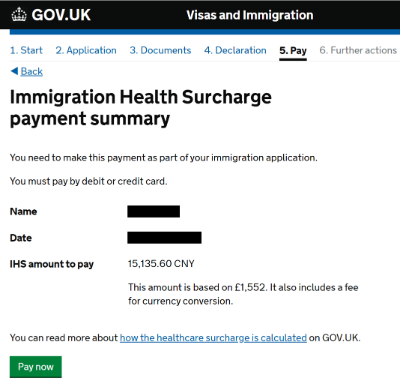
Immigration Health Surcharge (IHS)
You need to make an Immigration Health surcharge (IHS) payment.
A calculation of your IHS will be shown on screen in your home country’s currency.
The IHS is calculated based on your course length and the additional leave you will be granted following your course end date.
By clicking ‘Pay Now’, you will be directed to a Worldpay payment page.
You will need to make the IHS payment to be able to continue with the application.
Visa application fee and biometrics
After you have completed the IHS payment, you will need to pay for your visa application.
Once you have paid your visa application fee, you have made your application.
You will then book your biometric appointment if you did not use the UKVI ID Check app to verify your identity.
You still need to go to a visa application centre (VAC) to finish your application.
Keep a copy of your submitted application and any evidence you submitted in support of your application - please save in a secure location electronically.
After visa application submission
If UKVI contact you to request any additional information or documents, you must contact the IAS team before replying to them by emailing immigration@gold.ac.uk
Save any correspondence you receive about your visa application including automated emails and confirmation emails.
Regularly check your email (inbox and junk / spam mail folders) and your mobile phone SMS messages for the contact details you have provided for any contact about your visa application.
You may be contacted about your application, to invite you to a visa interview or to request your attendance at the Visa Application Centre for another reason by email or phone.
When your visa application is decided, you will normally be notified by email, along with a Visa Decision Letter.
Please do not travel to the UK until your visa application has been approved, and after the visa start date.
If you think you have made a mistake on your application form after you have submitted it, please contact us immediately so that we can advise you on the options available to you. Some mistakes are minor and are unlikely to affect your application. However, some errors can lead to a refusal e.g. failing to declare a past refusal or an application made for a UK visa.